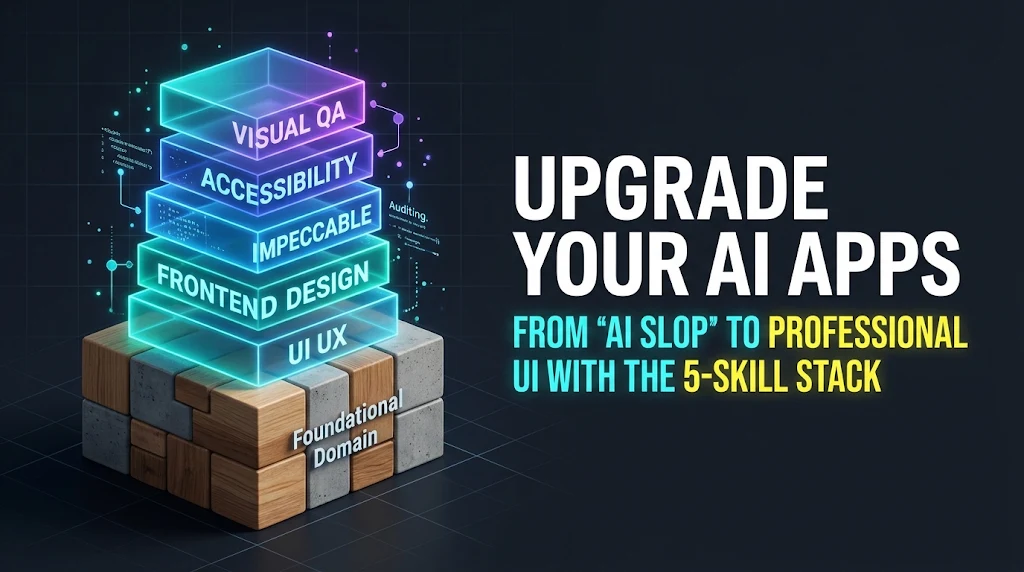


How to Stop Your AI-Built Apps from Looking Like "AI Slop": The 5-Skill UI Design Stack
You can spot an AI-generated web app in about two seconds. It almost always has the same telltale signs: a purple or orange-to-pink gradient, safe default typography, and a row of white cards with rounded corners. Everything works, sure—but it immediately signals "generic." And when an app looks generic, users instinctively assume it is cheap.
The surprising part is that modern coding agents like Claude Code aren't actually bad at design. They just play it safe. When you don't give an AI clear aesthetic direction, it falls back on the safest statistical defaults. Even telling it to "avoid a generic AI look" usually just swaps one cliché template for another.
What actually works is giving your AI coding agent a real design process. That is where Agent Skills come in. A skill is a structured folder of instructions and guardrails that your coding agent loads only when a task requires it—like handing a new hire your studio's design handbook on their first day.
By stacking the right UI design skills in the right sequence, you can take the exact same prompt and model and go from a forgettable template to an interface that looks like a senior design team built, audited, and QA-tested it.
Here is the exact 5-skill stack to install—in the exact order you should run them—along with where to find each one and how to set them up.
1. UI UX Pro Max (The Design Library)
Start here to establish a solid, consistent foundation. Rather than letting your AI guess colors and spacing on the fly, UI UX Pro Max acts as a structured design intelligence library. It packs dozens of UI styles, hundreds of curated color palettes, font pairings, UX guidelines, and chart patterns. It searches its library based on your product type and generates a master design system file in your project so every screen follows the same rules—including a list of anti-patterns to avoid.
- Pro tip: Be specific about your product and mood when invoking it (e.g., "a habit tracker for busy adults—calm, warm, and motivating"). Vague prompts like "make it look nice" will still produce generic picks.
- Where to find it: github.com/nextlevelbuilder/ui-ux-pro-max-skill
- How to install:
Inside Claude Code (Plugin Marketplace):
Bash
/plugin marketplace add nextlevelbuilder/ui-ux-pro-max-skill
/plugin install ui-ux-pro-max@ui-ux-pro-max-skill
Or via CLI (works across Claude Code, Cursor, Windsurf, Antigravity, etc.):
npm install -g ui-ux-pro-max-cli
cd /path/to/your/project
uipro init --ai claude
(Add --global if you want it available across all projects.)
2. Frontend Design (The Creative Director)
Once your design system is in place, Frontend Design (built by Anthropic) injects genuine taste and personality inside those guardrails. It instructs your agent to act like the design lead at a boutique studio. Before writing a single line of code, it drafts a compact design plan—choosing a focused palette of 4–6 colors, intentional typography roles, and a distinct layout concept—then critiques its own plan against your brief to strip out anything that feels like a default template.
- Why it goes second: On its own, Frontend Design can occasionally get too bold on functional screens (like using tall display fonts for tiny dashboard metrics). Running it after UI UX Pro Max gives you memorable personality without sacrificing consistency.
- Where to find it: github.com/anthropics/skills
- How to install:
Via the Skills CLI:
npx skills add https://github.com/anthropics/skills --skill frontend-designOr inside Claude Code:
/plugin marketplace add anthropics/skillsThen open /plugin to browse and install the Anthropic skills pack.
3. Impeccable (The Design Team on Call)
Once your app is built, Impeccable steps in to critique and refine it. Think of it as an on-call design team packed into a single skill with 24 specialized commands, each focused on one specific craft discipline:
/impeccable critique— Scores your pages like a harsh design reviewer./impeccable typeset— Fixes type scale, hierarchy, and readability./impeccable layout— Gives cramped sections breathing room./impeccable bolder//impeccable quieter— Dials visual energy up or down./impeccable polish— Runs a final quality pass on forms, tap targets, and mobile layouts.- Pro tip: Run
/impeccable initonce per project so it understands your product and audience before you run critique or polish commands. - Where to find it: github.com/pbakaus/impeccable (Docs: impeccable.style)
- How to install:
From your project root (CLI):
npx impeccable installOr inside Claude Code:
/plugin marketplace add pbakaus/impeccableReload your coding agent, then run /impeccable init.
4. Web Design Guidelines (The Usability & Accessibility Auditor)
An interface can look stunning in a screenshot and still be frustrating to use. Web Design Guidelines, created by Vercel Labs, audits your UI code against more than 100 production rules covering accessibility, keyboard focus states, forms, typography, dark mode, images, and touch-screen ergonomics.
It catches the invisible bugs you would never spot by eye—like sticky navigation bars covering keyboard-focused buttons, or custom toggles built as plain <button> elements instead of accessible checkboxes and switches that screen readers can announce.
- Where to find it: github.com/vercel-labs/agent-skills
- How to install:
Via the Skills CLI:
npx skills add vercel-labs/agent-skills --skill web-design-guidelines -a claude-code(Add -g to install it globally across all projects.)
5. Webapp Testing (The Visual QA Engineer)
The biggest blind spot in AI-assisted UI development is that the model usually cannot see what it just built. Webapp Testing (also from Anthropic) solves this by letting your coding agent spin up your local server, open the app in a real headless browser via Playwright, click through flows, and inspect screenshots at both desktop and mobile viewports.
Mobile layouts are where AI-generated CSS breaks most often—sideways scrolling, clipped labels, and untappable bottom menus. With this skill, the agent stops guessing and starts visually verifying its own fixes until every viewport passes cleanly.
- Where to find it: github.com/anthropics/skills (ships in the same repository as Frontend Design)
- How to install:
Via the Skills CLI:
npx skills add anthropics/skills --skill webapp-testingOr inside Claude Code: If you already added Anthropic's marketplace in Step 2, install the example-skills bundle:
/plugin marketplace add anthropics/skills
/plugin install example-skills@anthropic-agent-skills
Bonus Skill: UI Skills — Baseline UI (The Opinionated Guardrail)
If you want an extra layer of discipline for micro-interactions and Tailwind/React hygiene, UI Skills is an open-source collection of over 100 bite-sized skills for design engineers. The standout to start with is Baseline UI, which enforces strict, opinionated rules so your agent stops repeating subtle amateur mistakes:
- Forces
tabular-numsso numbers align cleanly in dashboards and counters. - Caps interaction animations at 200ms so micro-interactions feel snappy rather than sluggish.
- Replaces lazy alerts with proper confirmation dialogs (
AlertDialog) for destructive actions. - Strips out cramped letter-spacing on headings and bans unnecessary gradients.
- Where to find it: ui-skills.com / github.com/ibelick/ui-skills
- How to install:
npx skills add ibelick/ui-skillsOr install baseline-ui specifically:
npx ui-skills add baseline-uiPutting the Stack Together
You don't need to rewrite your entire workflow overnight. If you want to start small, here is the simplest way to adopt this stack:
- If you only install one skill: Start with Frontend Design to immediately kill the generic AI aesthetic.
- If you install two: Pair UI UX Pro Max with Frontend Design so you get both a cohesive design system and bold visual direction.
- If you are shipping to real users: Run the full five-step pipeline—UI UX Pro Max → Frontend Design → Impeccable → Web Design Guidelines → Webapp Testing.
Same model. Same prompt. Zero manual CSS tweaking. The difference between an app that screams "AI prototype" and one that feels genuinely crafted comes down to giving your agent a real design process—and letting it check its own work before you ship.